Smart Postpaid SIM Registration: Guide, Prepaid vs Postpaid
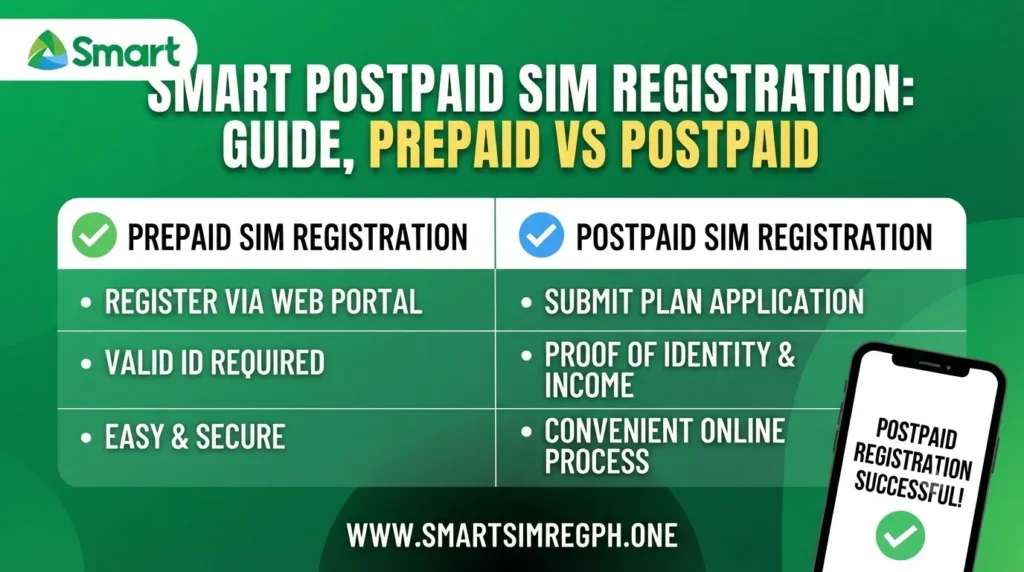
Smart Postpaid SIM Registration Guide
Smart SIM registration is required for both prepaid and postpaid subscribers in the Philippines. However, the registration process differs depending on the type of SIM you use. Existing Smart Postpaid customers usually have a much simpler process because their identification and personal information were already verified when they applied for their postpaid plan. This guide explains how Smart Postpaid registration works, compares it with prepaid registration, and outlines the registration requirements for tourists and foreign residents.
Why Smart Postpaid Registration Is Easier
Smart Postpaid subscribers generally complete fewer registration steps because Smart already has their verified customer records.
Some of the main reasons include:
- Identification documents were submitted during plan application.
- Personal information is already stored by Smart.
- Identity verification was completed when the postpaid account was activated.
- Most users do not need to upload their ID or selfie again.
This makes postpaid registration faster than prepaid registration.
Smart Postpaid SIM Registration Process
For existing Smart Postpaid subscribers, the registration process is usually straightforward.
Steps
- Wait for a registration request from Smart, if applicable.
- Send YES to 5858.
- Receive a confirmation message through SMS.
In most cases, there is no need to complete a lengthy online registration form because Smart already has the necessary customer information.
Smart Prepaid SIM Registration Process
Prepaid subscribers need to complete the full registration procedure.
Registration Steps
- Visit the Smart SIM Registration portal.
- Enter your mobile number.
- Verify your number using the OTP.
- Fill in your personal information.
- Upload a valid government-issued ID.
- Upload a selfie for identity verification.
- Submit the registration.
- Wait for the confirmation message after approval.
Smart Postpaid vs Smart Prepaid Registration
| Feature | Smart Prepaid | Smart Postpaid |
|---|---|---|
| Mobile Number Verification | Yes | Already linked to account |
| OTP Verification | Required | Usually not required |
| Personal Information | Required | Already available |
| Valid ID Upload | Required | Usually already submitted |
| Selfie Upload | Required | Usually not required |
| Registration Method | Online registration | Verification through existing records |
Documents Comparison
The required documents vary depending on the SIM type.
| Smart Prepaid | Smart Postpaid |
|---|---|
| Valid ID | Valid ID during plan application |
| Personal Details | Personal Information |
| Selfie | Billing Documents |
| — | Credit Assessment |
| — | Service Agreement |
Activation Time
The activation timeline also differs between prepaid and postpaid users.
| SIM Type | Activation |
|---|---|
| Prepaid | Usually within minutes or up to 24 hours after approval |
| Postpaid | Verification is generally completed during plan approval |
Billing Differences
| Smart Prepaid | Smart Postpaid |
|---|---|
| Pay before using services | Monthly billing |
| Flexible spending | Fixed monthly subscription |
| No long-term commitment | Continuous service with subscription |
Benefits of Smart Prepaid
- Budget-friendly option
- Full control over spending
- No monthly contract
Benefits of Smart Postpaid
- Consistent mobile data and services
- Access to premium plans
- Convenient monthly billing
Smart SIM Registration for Tourists
Tourists visiting the Philippines can also register a Smart SIM card.
Required Documents
- Valid passport
- Hotel booking or Philippine address
- Return or onward travel ticket
After providing these documents, tourists can complete the registration through the Smart SIM Registration portal by verifying their mobile number, uploading the required identification, submitting their personal details, and receiving a confirmation with a control number.
Smart SIM Registration for Foreign Residents
Foreign nationals living in the Philippines must provide additional documents during registration.
Common Requirements
- Valid passport
- Local Philippine address
- Supporting documents such as:
- Alien Employment Permit
- ACR I-Card
- Student ID and school registration
Existing Foreign Smart Postpaid Subscribers
Foreign nationals who already have a Smart Postpaid account usually complete their registration by sending YES to 5858, similar to local postpaid subscribers.
Tourist SIM Validity
Tourist Smart SIM cards may remain active if the required visa extension documents are submitted before the SIM expires.
If a tourist SIM becomes expired or deactivated, it generally cannot be reactivated.
Which Option Should You Choose?
Choosing between prepaid and postpaid depends on your needs.
- Prepaid is suitable for users who want flexible spending without a monthly commitment.
- Postpaid is ideal for users who prefer uninterrupted service, monthly billing, and premium mobile plans.
Conclusion
Smart Postpaid SIM registration is designed to be simple because customer information has already been verified during the postpaid plan application. Existing subscribers generally only need to confirm their registration, while prepaid users complete a full online registration process that includes identity verification. Tourists and foreign residents can also register Smart SIM cards by submitting the appropriate documents based on their residency status, ensuring they can legally activate and continue using Smart mobile services in the Philippines.