Smart GigaLife App Overview: Features, SIM Registration
The Smart GigaLife App is an all-in-one mobile application designed to help Smart subscribers manage their accounts from a single platform. It is available free of charge for both Android and iOS devices and supports Smart Prepaid, Smart Postpaid, TNT, and Smart Bro users.
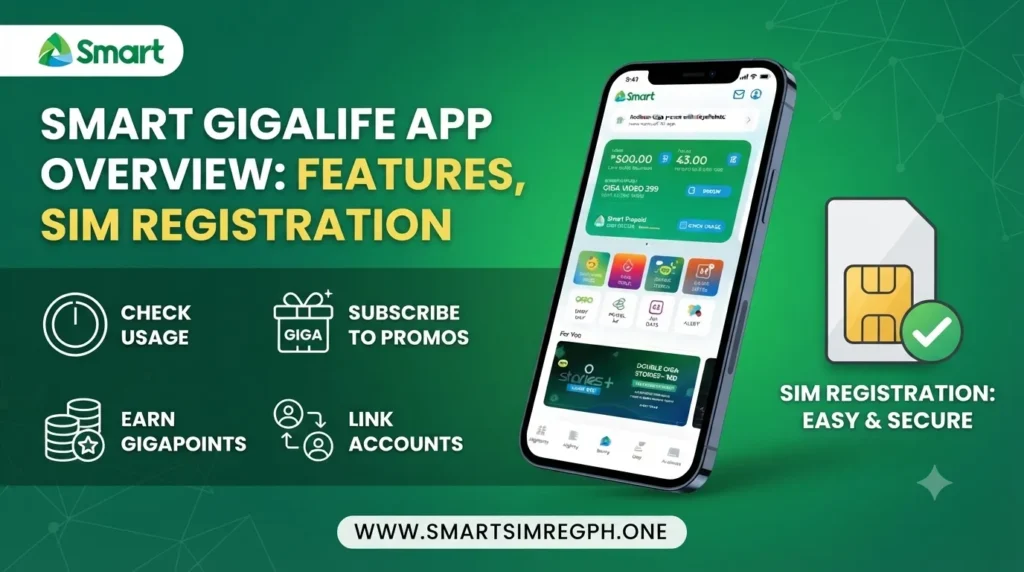
Instead of using multiple services or SMS commands, users can check balances, monitor data usage, register promos, reload accounts, pay bills, and even complete Smart SIM registration directly through the app.
Smart GigaLife App at a Glance
| Feature | What It Offers |
|---|---|
| Availability | Free for Android and iOS |
| Supported Users | Smart Prepaid, Smart Postpaid, TNT, Smart Bro |
| Account Management | Check balance, data, calls, SMS, billing |
| SIM Registration | Register Smart SIM within the app |
| Promo Registration | Browse and subscribe to available promos |
| Payments | Buy load and pay postpaid bills |
| Data Monitoring | Real-time usage tracking and expiry alerts |
| Notifications | Promo reminders, low balance, data expiry |
| Multiple Accounts | Manage several Smart numbers in one app |
Download and Install the Smart GigaLife App
Getting started with the Smart GigaLife App is simple.
Steps
- Download the app from the Google Play Store or Apple App Store.
- Install the application on your device.
- Open the app.
- Log in using your Smart mobile number.
- Enter the One-Time Password (OTP).
- Complete the account setup.
Once logged in, you can begin managing your Smart services immediately.
Register Your Smart SIM Through the GigaLife App
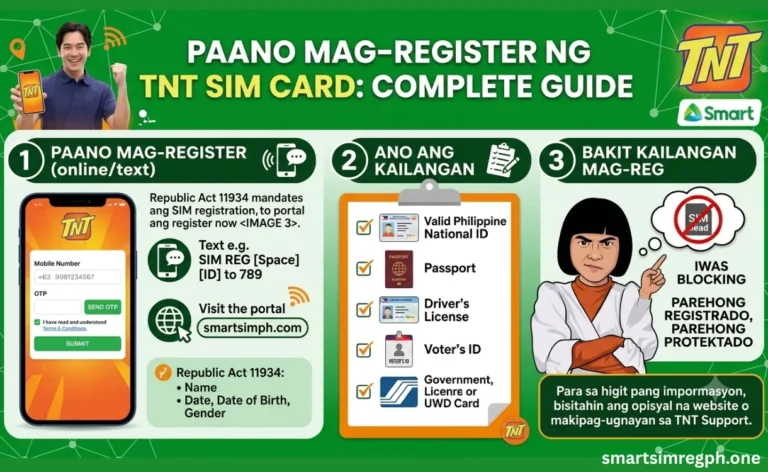
The app also allows eligible users to complete Smart SIM registration in one place.
Requirements
- Smart SIM card
- Valid government-issued ID
- Personal information
- Selfie for identity verification
Registration Process
- Install and open the GigaLife App.
- Sign in with your Smart number.
- Verify your account using the OTP.
- Fill in the registration form.
- Upload your valid ID.
- Upload a clear selfie.
- Review all entered information.
- Submit your application.
- Wait for the registration confirmation.
Manage Your Smart Account Easily
The Smart GigaLife App provides a centralized dashboard where users can monitor important account details.
You can:
- Check prepaid balance
- View remaining mobile data
- Monitor SMS allocation
- Check call balance
- View postpaid billing information
- Manage multiple Smart accounts from one application
This helps users stay informed without switching between different services.
Monitor Data Usage in Real Time
The application includes built-in tools for tracking internet consumption.
You can monitor:
- Remaining data balance
- Real-time data usage
- Daily usage statistics
- Promo expiration dates
- Data expiry reminders
These features help users manage their internet usage more efficiently.
Register Promos with One Tap
The app lets users browse available offers and subscribe quickly.
Available promo categories include:
- GIGA Video
- GIGA Stories
- Call bundles
- Text bundles
- Data promos
- Exclusive app-only offers
The registration process requires only a few taps inside the application.
Reload and Make Payments
Users can complete several payment-related tasks directly from the app.
Payment options include:
- Credit Card
- Debit Card
- Digital Wallets
Available services
- Buy mobile load
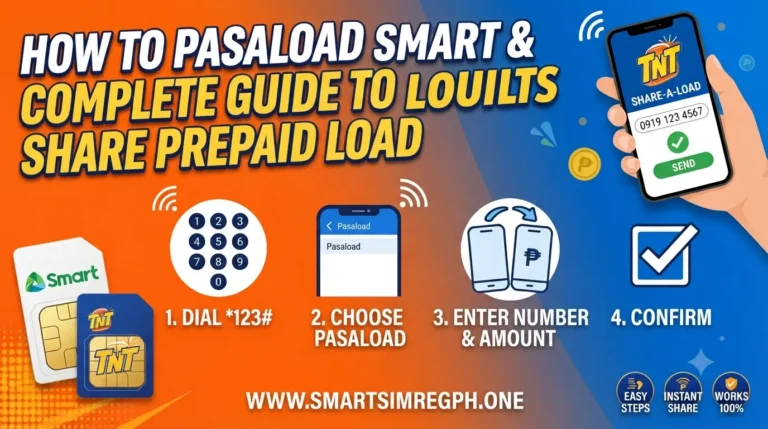
- Reload another Smart number
- Pay Smart Postpaid bills
This eliminates the need to visit physical payment centers for common transactions.
Stay Updated with Notifications
The Smart GigaLife App automatically sends helpful alerts to keep users informed.
These include:
- Promo reminders
- Low balance notifications
- Data expiry alerts
These notifications help users avoid unexpected service interruptions.
Rewards and Exclusive Offers
The application also provides access to rewards and exclusive promotions.
Users can:
- Earn reward points
- Redeem available rewards
- Access exclusive promotional offers
These features provide additional value for active Smart subscribers.
Simple and User-Friendly Interface
The Smart GigaLife App is designed with an easy-to-use dashboard that allows users to navigate different services quickly.
Some interface highlights include:
- Clean dashboard
- Simple navigation
- Fast access to account information
- Quick switching between multiple Smart numbers
Common Login and Registration Tips
To complete registration or log in successfully, keep these recommendations in mind.
- Use a stable internet connection.
- Enter your mobile number correctly.
- Make sure your ID photo is clear.
- Upload a clear selfie.
- Double-check your personal information before submission.
- Ensure your Smart SIM is active.
- Wait for the OTP before continuing.
Common Issues Users May Encounter
| Issue | Possible Situation |
|---|---|
| OTP not received | Verification code is delayed |
| Login issue | Unable to access the account |
| Upload error | ID or selfie upload fails |
| Invalid ID | Submitted document is not accepted |
| Slow internet | Registration or loading takes longer |
Benefits of the Smart GigaLife App
The application offers several advantages for Smart users.
- One app for multiple Smart services
- Easy account management
- Real-time balance monitoring
- Convenient promo registration
- Secure payment options
- Faster transactions
- Manage multiple Smart numbers
- Reduced need for SMS commands
- Digital self-service experience
- Simple and modern interface
Frequently Asked Questions
Which devices support the Smart GigaLife App?
The app is available for Android and iOS smartphones.
Can I manage multiple Smart numbers?
Yes. The application allows users to add and switch between multiple Smart accounts.
Can I register my Smart SIM through the app?
Yes. Eligible users can complete the Smart SIM registration process within the GigaLife App.
What documents are required for SIM registration?
You need a valid government-issued ID, your Smart SIM, personal information, and a selfie for verification.
Can I check my remaining balance?
Yes. The app displays prepaid balance, remaining data, call allocation, and SMS balance.
Can I subscribe to promos using the app?
Yes. Users can browse available promos and register with a few taps.
How can I reload my Smart number?
You can purchase load using supported payment methods available inside the app.
Can I pay my postpaid bill?
Yes. Smart Postpaid subscribers can pay their bills through the application.
Does the app notify me before my data expires?
Yes. The app sends notifications for data expiry, promo reminders, and low balance alerts.
What should I do if I don’t receive an OTP?
Check your network connection, ensure the correct mobile number is entered, and request another OTP if necessary.
Conclusion
The Smart GigaLife App brings together account management, SIM registration, promo subscriptions, balance checking, payments, data monitoring, rewards, and notifications in one convenient application. With support for Smart Prepaid, Smart Postpaid, TNT, and Smart Bro users, it provides a simple way to manage everyday mobile services through a clean and user-friendly interface. Whether checking your balance, registering a promo, reloading your account, or completing SIM registration, the app offers an organized digital self-service experience from a single platform.