Globe SIM Registration Guide: Steps, Requirements, Accepted
Globe SIM Registration Guide
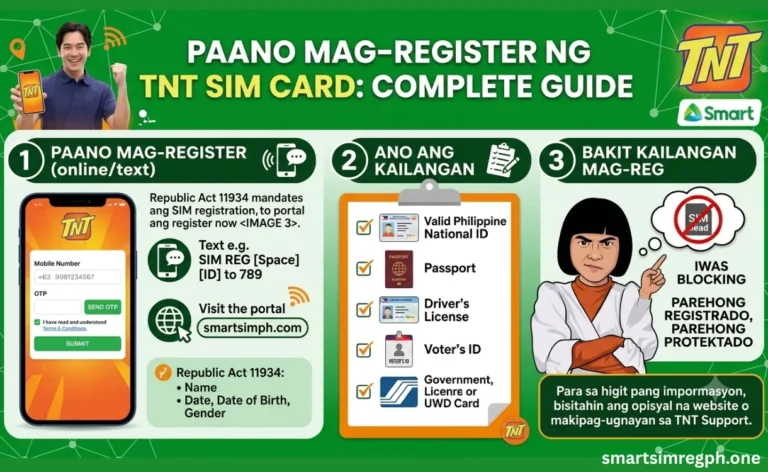
Globe SIM registration is a mandatory process for Globe Telecom customers under the Philippine SIM Registration Act. Whether you use a Globe Prepaid, Postpaid, TM, Globe At Home, Mobile WiFi, MyFi, or LTE Home SIM, you must complete your registration to keep your SIM active. The registration process is completed online using OTP verification, identity verification, and document submission.
Why Globe SIM Registration Is Important
Registering your SIM helps verify the identity of every mobile user and provides better protection against scams and fraudulent activities. Completing the registration also helps prevent SIM deactivation.
Main Benefits
- Keeps your SIM active
- Improves account security
- Helps reduce scams and fraud
- Secure identity verification
- Free online registration
- Quick registration process
- Mobile-friendly registration portal
SIM Types Supported
The registration process supports multiple Globe products.
| SIM Type | Registration Supported |
|---|---|
| Globe Prepaid | Yes |
| Globe Postpaid | Yes |
| TM | Yes |
| Globe Platinum | Yes |
| Globe At Home | Yes |
| LTE Home | Yes |
| Mobile WiFi | Yes |
| MyFi | Yes |
Information Required for Registration
Prepare the following information before starting your registration.
| Required Information | Needed |
|---|---|
| Full Name | ✔ |
| Date of Birth | ✔ |
| Gender | ✔ |
| Address | ✔ |
| Nationality | ✔ |
| Mobile Number | ✔ |
| Government-Issued ID | ✔ |
| Selfie Photo | ✔ |
Accepted Government IDs
A valid government-issued ID is required during registration.
| Accepted ID |
|---|
| National ID |
| Passport |
| Driver License |
| SSS ID |
| UMID |
| PRC ID |
| Postal ID |
| PhilHealth ID |
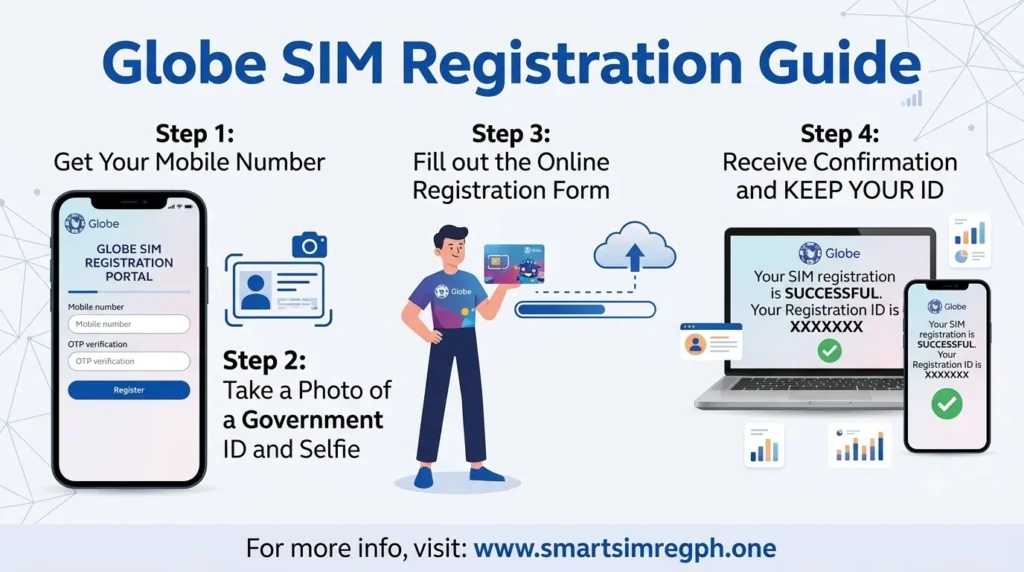
How to Register Your Globe SIM
Follow these simple steps to complete your SIM registration.
Step 1: Enter Your Mobile Number
Visit the official registration portal or use the GlobeOne App. Enter your Globe or TM mobile number.
Step 2: Receive OTP
A One-Time Password (OTP) will be sent to your registered mobile number.
Step 3: Verify the OTP
Enter the OTP to confirm ownership of the SIM.
Step 4: Fill Out Your Information
Provide your personal details, including your name, birthday, address, nationality, and other required information.
Step 5: Upload Your Valid ID
Upload a clear photo of your government-issued identification.
Step 6: Take a Selfie
Capture a clear selfie for identity verification.
Step 7: Submit the Registration
Review your information and submit the application.
Step 8: Save Your Confirmation
After successful registration, you will receive a confirmation or reference number. Keep it for future reference.
Registration Methods
Users can register through different methods depending on their preference.
| Registration Method | Available |
|---|---|
| Official Registration Website | ✔ |
| GlobeOne App | ✔ |
| Globe Store | ✔ |
Tips for Successful Registration
To avoid delays during registration:
- Use a stable internet connection.
- Enter accurate personal information.
- Upload a clear and readable ID.
- Take your selfie in a well-lit area.
- Double-check all details before submitting.
- Save your confirmation or reference number.
Common Registration Problems
Some users may experience issues during registration.
| Problem | Possible Solution |
|---|---|
| OTP not received | Wait a few minutes and request another OTP. |
| OTP expired | Request a new OTP and verify again. |
| Invalid ID upload | Upload a clear image of a supported ID. |
| Selfie verification failed | Retake the selfie in good lighting. |
| Website loading slowly | Try again later with a stable internet connection. |
| Registration failed | Review your information and submit again. |
Updating Registration Information
If your personal information changes, you may need to update your registration details through the available registration channels using the required verification process.
Lost SIM
Users with a lost SIM should complete the required verification process before requesting SIM-related assistance.
Multiple SIM Registration
Each SIM card should be registered individually using the required registration process.
Registration Checklist
Before submitting your application, make sure you have:
- Mobile number
- OTP verification
- Personal information
- Government-issued ID
- Selfie photo
- Stable internet connection
Frequently Asked Questions
Is Globe SIM registration free?
Yes. The registration process is free.
Can I register using my phone?
Yes. Registration is mobile-friendly and can also be completed through the GlobeOne App.
Which SIMs can be registered?
Globe Prepaid, Globe Postpaid, TM, Globe Platinum, Globe At Home, LTE Home, Mobile WiFi, and MyFi SIMs are supported.
What documents are required?
You need your personal information, a valid government-issued ID, and a selfie.
Why do I need OTP verification?
OTP verification confirms that you are the owner of the mobile number being registered.
What should I do if my OTP expires?
Request a new OTP and complete the verification again.
Can I register more than one SIM?
Yes. Each SIM must be registered separately.
What should I keep after registration?
Save your confirmation or reference number for future use.
Conclusion
Globe SIM registration is a simple online process that requires OTP verification, personal information, a valid government-issued ID, and a selfie. By completing the registration correctly and keeping your confirmation number, users can continue using their Globe, TM, Globe At Home, Mobile WiFi, LTE Home, or MyFi SIM without interruption while enjoying a secure and verified mobile service.