Smart SIM Reactivation Guide: How to Restore a Deactivated
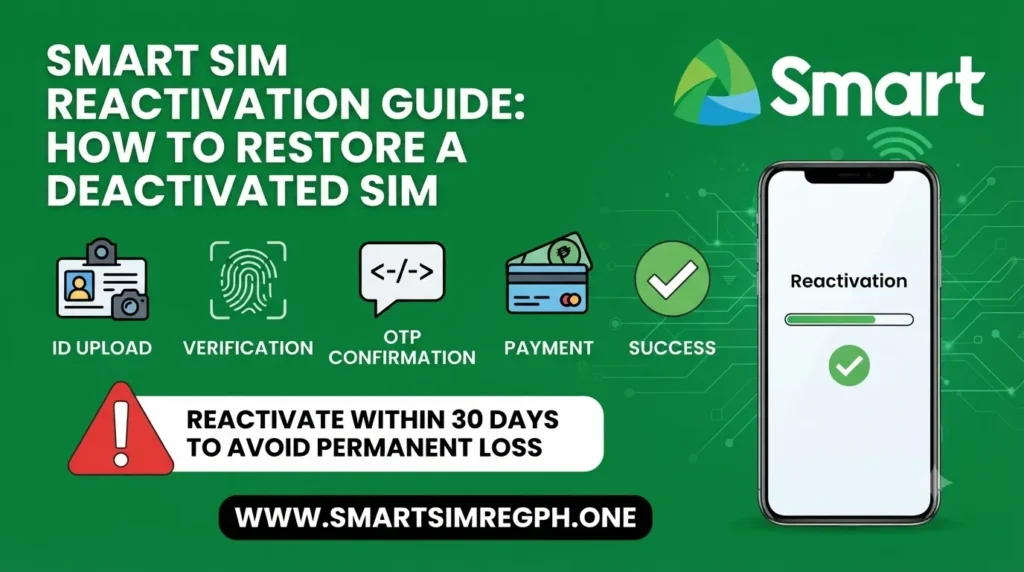
Smart SIM Reactivation Guide
If your Smart SIM card has stopped working, there is still a chance you can restore your mobile service. Smart provides official ways to reactivate eligible SIM cards after verifying the owner’s identity. Whether your SIM became inactive due to long inactivity, an expired plan, or a technical issue, following the correct process can help you recover your number.
This guide explains the common reasons for Smart SIM deactivation, available reactivation methods, the documents you may need, and useful tips to prevent future deactivation.
Common Reasons Why a Smart SIM Gets Deactivated
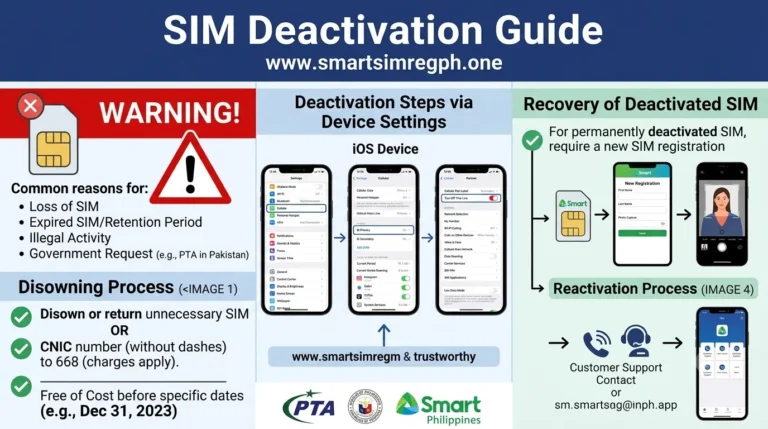
A Smart SIM may become inactive for several reasons. Knowing the cause can help you choose the correct solution.
| Reason | Description |
|---|---|
| Long Inactivity | The SIM has not been used for an extended period. |
| Expired Prepaid Balance or Plan | The prepaid load or subscription has expired. |
| Lost or Damaged SIM | The SIM card has been lost, stolen, or physically damaged. |
| Device or SIM Upgrade | You switched to a new device or a different SIM type. |
| Network or Technical Issues | Temporary technical problems may affect SIM service. |
| Account Verification Issues | Additional verification may be required by Smart. |
Signs That Your Smart SIM Has Been Deactivated
You may notice one or more of these signs if your SIM is inactive:
- No network signal
- Unable to make or receive calls
- Cannot send or receive SMS
- Mobile data is not working
- SIM card is not detected by the phone
Official Ways to Reactivate a Smart SIM
Smart offers several official methods to request SIM reactivation.
1. Online Reactivation
If online reactivation is available for your account, follow these steps:
- Visit the official Smart website.
- Sign in to your account.
- Open your account settings.
- Select the Reactivate SIM option.
- Complete the required identity verification.
- Follow the on-screen instructions.
2. Contact Smart Customer Support
You can also ask Smart customer support for assistance.
Steps include:
- Contact Smart customer service.
- Provide your registered mobile number.
- Verify your identity.
- Follow the instructions provided by the support representative.
3. Visit a Smart Store
Many users reactivate their SIM by visiting a Smart Store.
Steps:
- Visit the nearest Smart Store.
- Bring a valid government-issued ID.
- Inform the staff that you want to reactivate your SIM.
- Provide your mobile number or SIM information.
- Complete identity verification.
- Wait while your request is processed.
Documents You May Need
Depending on your situation, Smart may ask for the following:
| Required Document | Purpose |
|---|---|
| Government-issued ID | Identity verification |
| Registered Mobile Number | Account identification |
| SIM Card | SIM verification |
| Account Details | Ownership confirmation |
| Proof of Ownership (if requested) | Additional verification |
What to Do Before Requesting Reactivation
Before starting the process, it is helpful to:
- Keep your registered mobile number ready.
- Prepare your valid ID.
- Verify your SIM registration details.
- Contact Smart as soon as possible after noticing the deactivation.
Before Permanently Deactivating Your Smart SIM
If you plan to permanently deactivate your Smart SIM, consider these important steps first:
- Back up important contacts.
- Save important SMS messages.
- Transfer services linked to your mobile number, such as banking or OTP accounts.
- Check any remaining prepaid balance or active subscriptions.
Can a Permanently Deactivated Smart SIM Be Reactivated?
The possibility of reactivation depends on the status of the SIM. Recently blocked SIMs may still be eligible for recovery after verification. However, permanently deactivated SIM cards may not always be recoverable. Contact Smart immediately if you want to check your options.
Tips to Keep Your Smart SIM Active
Following these simple practices can help prevent future deactivation:
- Register your SIM correctly.
- Use your SIM regularly.
- Keep sufficient prepaid load or an active subscription.
- Monitor Smart notifications.
- Renew your prepaid or postpaid plan before it expires.
- Update your personal information whenever necessary.
Frequently Asked Questions
Why was my Smart SIM deactivated?
Common reasons include long inactivity, expired prepaid load or plan, lost or damaged SIM cards, account verification issues, or technical problems.
Can I reactivate my Smart SIM online?
If Smart offers online reactivation for your account, you can complete the process through your account after identity verification.
What documents are required for Smart SIM reactivation?
You may need a government-issued ID, your registered mobile number, SIM information, and proof of ownership if requested.
What should I do if my registered Smart SIM stops working?
Restart your phone, reinsert the SIM, verify your registration details, contact Smart customer support, or visit a Smart Store for assistance.
How can I avoid Smart SIM deactivation?
Use your SIM regularly, maintain an active balance or subscription, respond to Smart notifications, and keep your account information updated.
Conclusion
Reactivating a Smart SIM is usually straightforward when you use the official Smart channels and complete the required identity verification. Whether you choose online reactivation, customer support, or a Smart Store visit, having your documents ready can make the process smoother. Keeping your SIM active through regular usage and maintaining your account can also help reduce the chances of future deactivation.